2.4.1. Pending Admissions
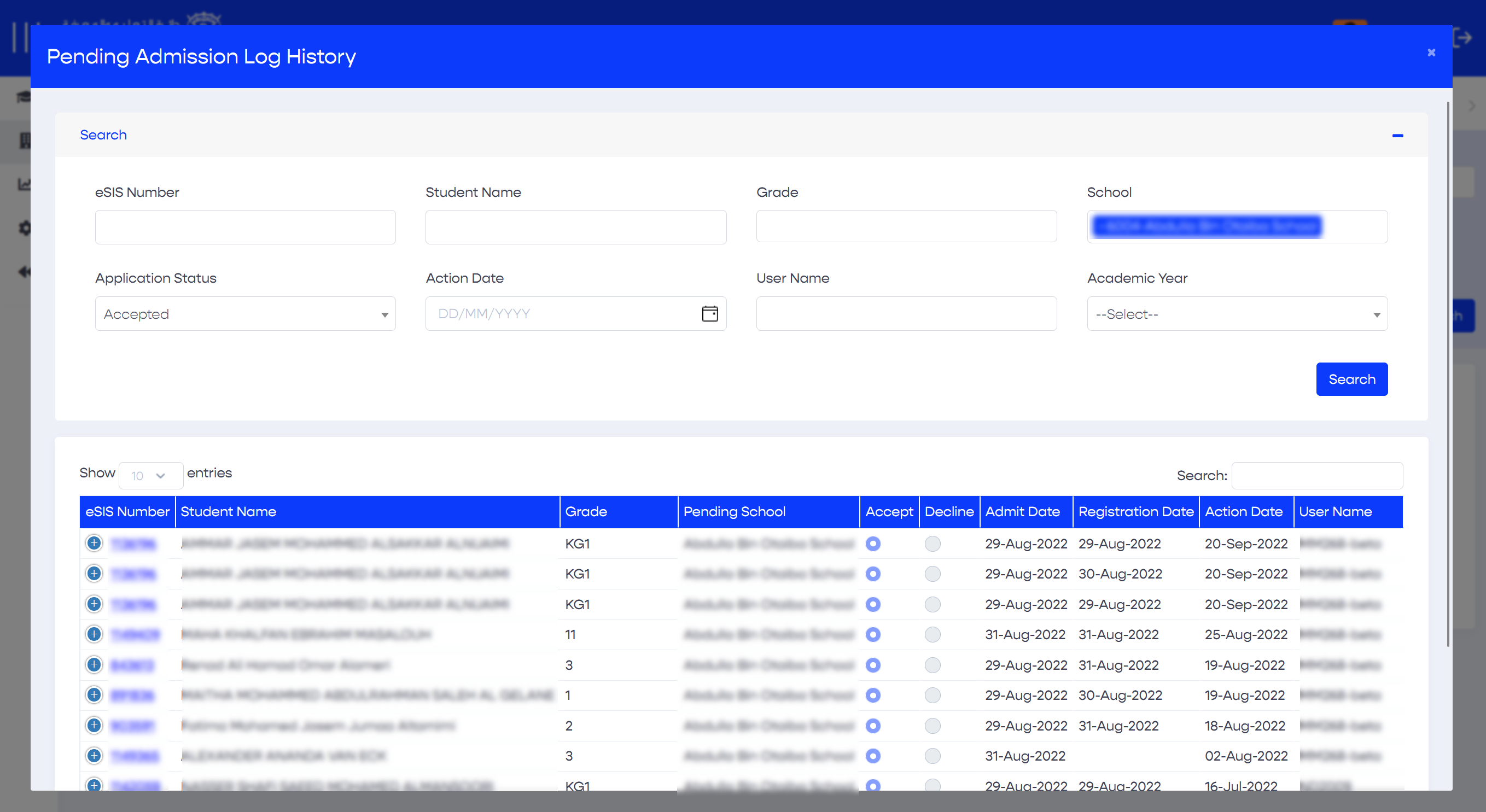
Case managers can view all students with pending admission requests and take necessary actions, such as accepting, declining, or returning for updates.
- Sign in to eSIS.
- From the left-side menu, select "Schools".
- Expand the menu under "Schools" and click on "Enrollment".
- On the top, click on "Pending Admissions".
- Enter your search criteria such as Case Manager, Board/District, School, Curriculum, Grade, Application Status
- View your search results in the grid.
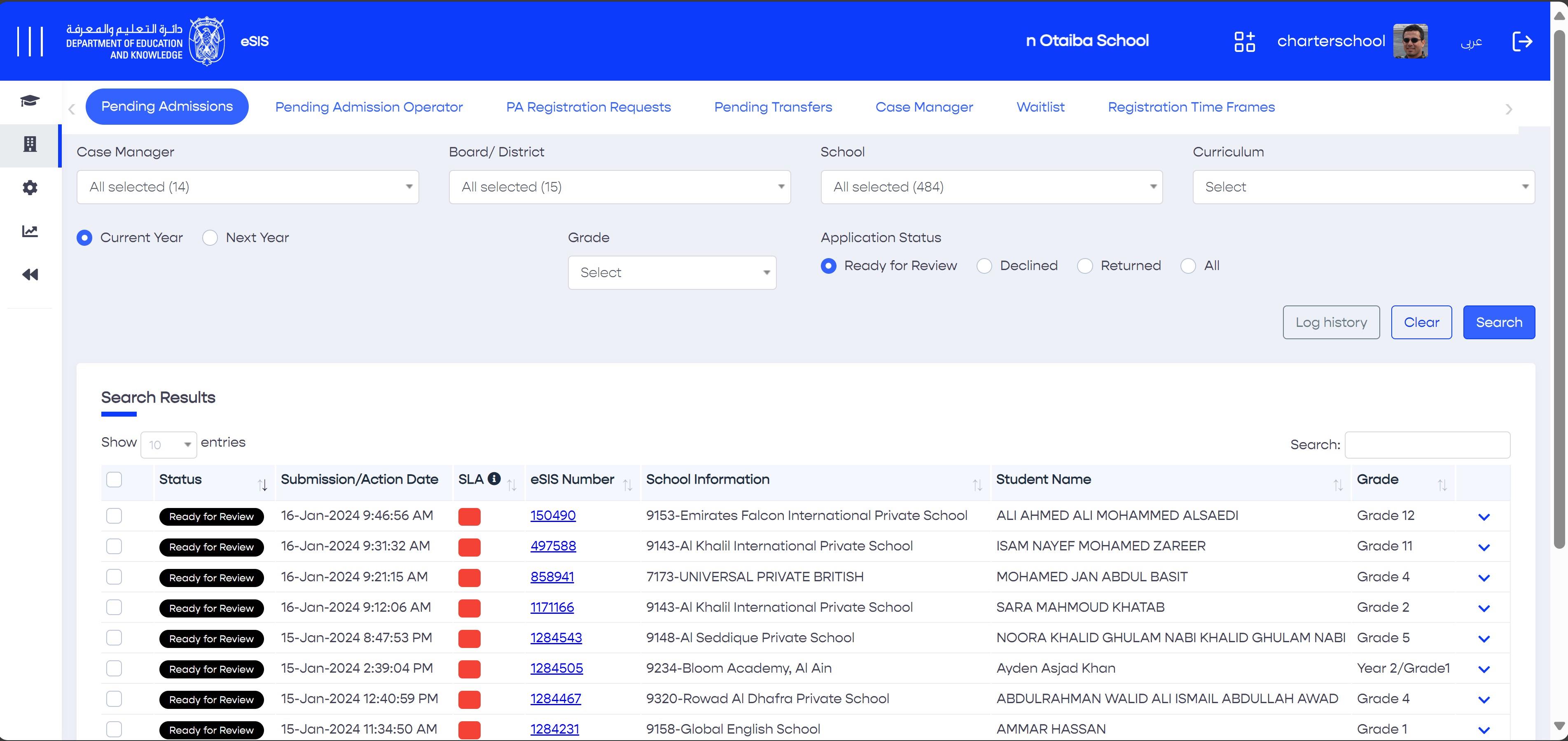
Above: Click on the student's eSIS number to view profile
7. Click the checkbox to select a specific pending request, multiple or all.
8. On the right, click any required mass action (accept, decline, and return for updates).
9. Click "Save" to complete the process.
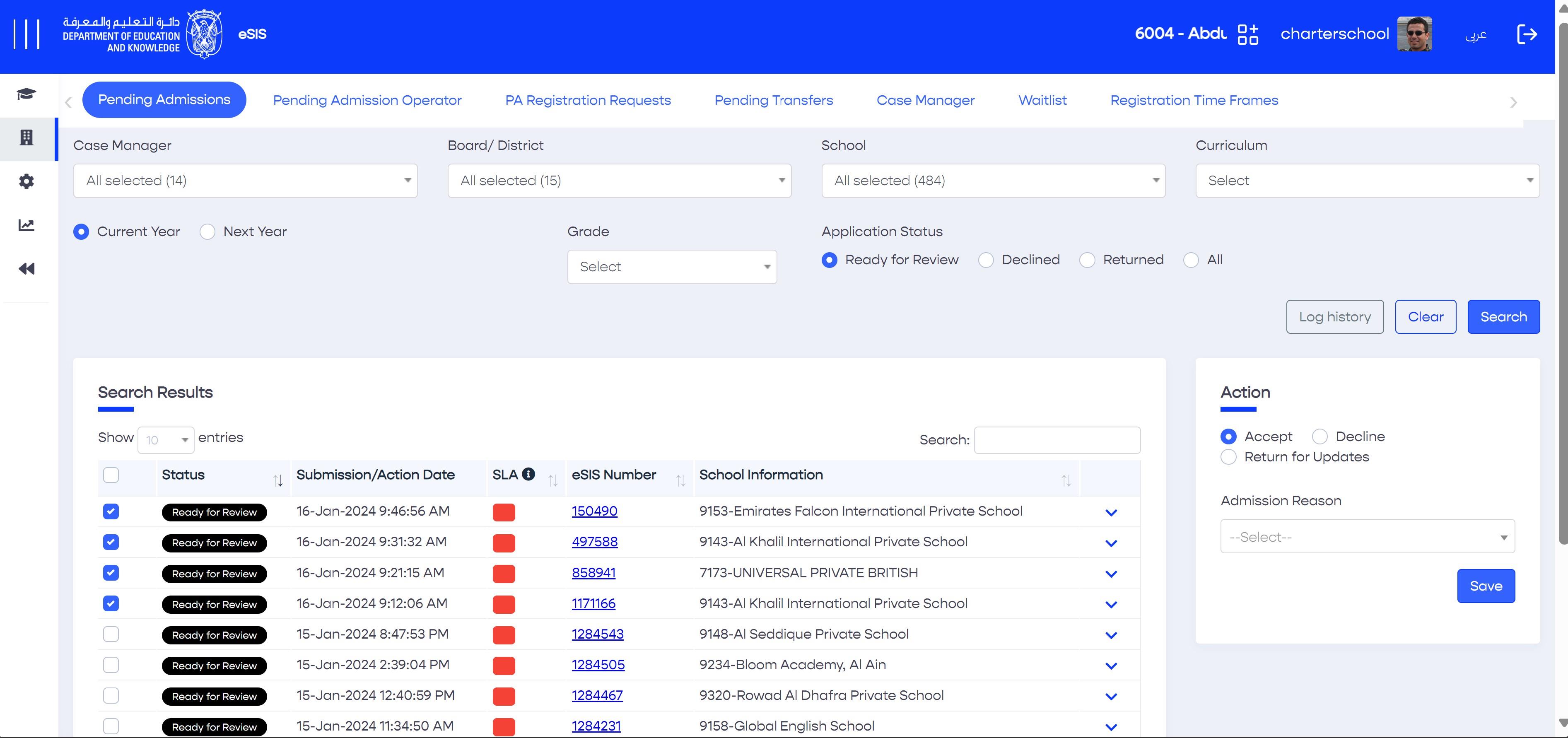
2.4.1.1. Pending Admissions - History Log
This log displays all past activities related to previous requests, indicating the actions taken and their corresponding date/time, along with the responsible party.
You can access the history log by clicking the "Log History" button on the "Pending Admissions" main page.