ESIS

5.1.3. Grid Columns

When the search button is pressed, the system displays the student eSIS numbers and their full names according to the search criteria entered, along with following columns that are related to basic health screening. 


Following are health related columns. This information is entered by the school nurse.


  1. Date of Measurement. Date when the nurse completed the basic health screening for each student. The date must be within the current academic year and cannot be in the past.
  2. Vision Test. A dropdown list used to enter the result of the vision test. Its values are: "No Issues Identified", "Issues Identified", "Vision Refused" and "Vision Test Not Done" 
  3. Height. Student height in cm
  4. Weight. Student weight in kg
  5. Reason for Not Recording. If health screening of a student is not recorded, the reason is entered using this field. There are two options to select from: "Student is Absent" or "Parent Did Not Give Consent" 
  6. Referral. Holds two options, yes or no, to indicate whether a referral note to a physician was provided.

The following column data is calculated by the system and displayed adjacent to each student's name.
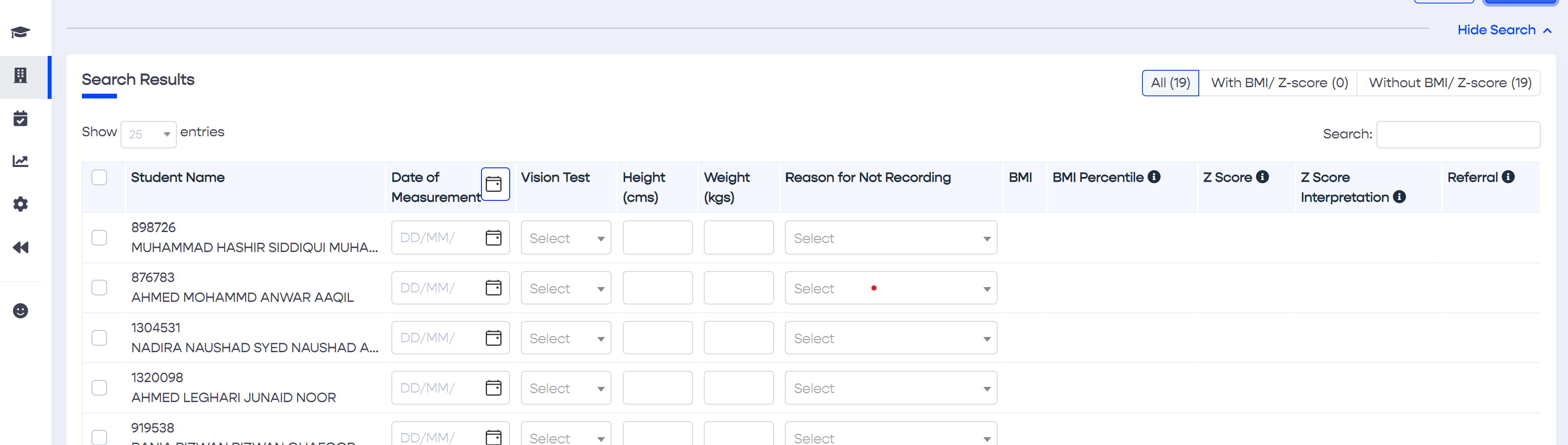
 

  1. BMI
  2. BMI Percentile
  3. Z Score
  4. Z Score Interpretation
Above: Homeroom Basic Health Screening Grid

Calculated Column Definitions


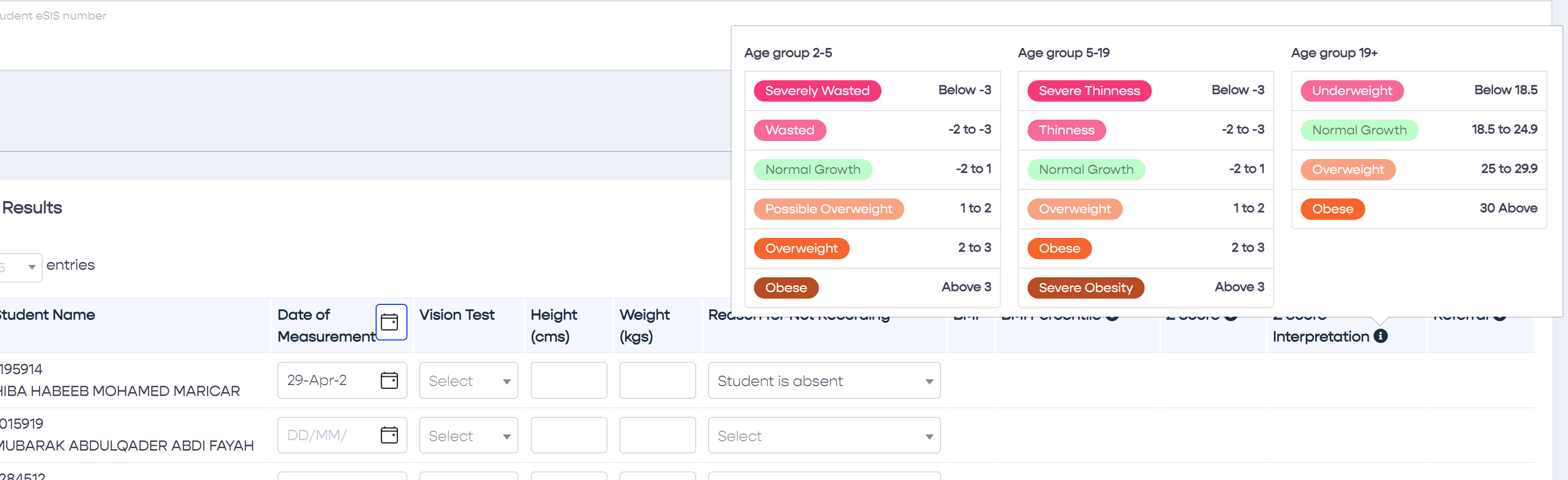
Definitions are found on the screen by hovering with the mouse cursor above the information icon (i) placed in the headers of the calculated columns.
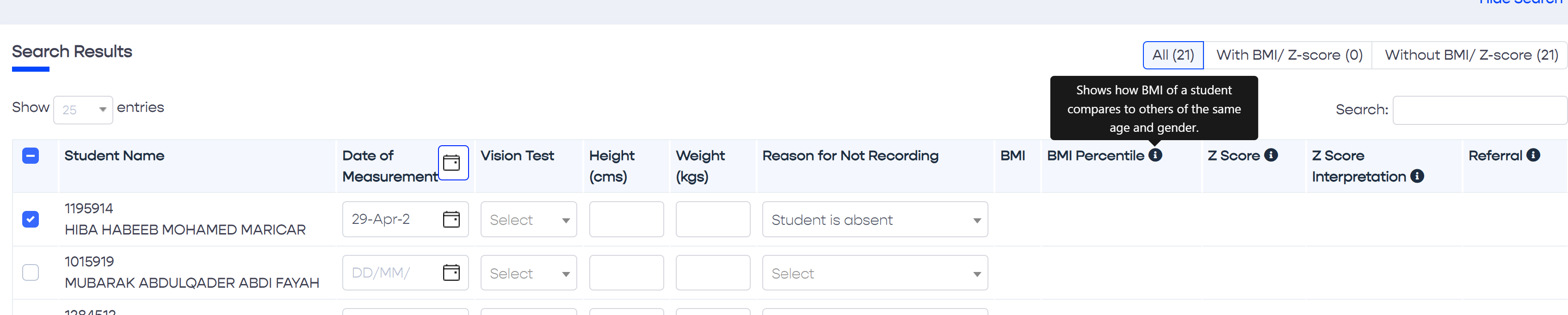
Above: Hovering with the mouse cursor above the column header shows a definition for that column.
Above: The information icon on top of the Z Score interpretation column header shows the WHO's Z Score Interpretation reference