To update the referral of an individual student, tick the checkbox adjacent to the student eSIS number and name to select the student, before updating the referral column value of the selected student.
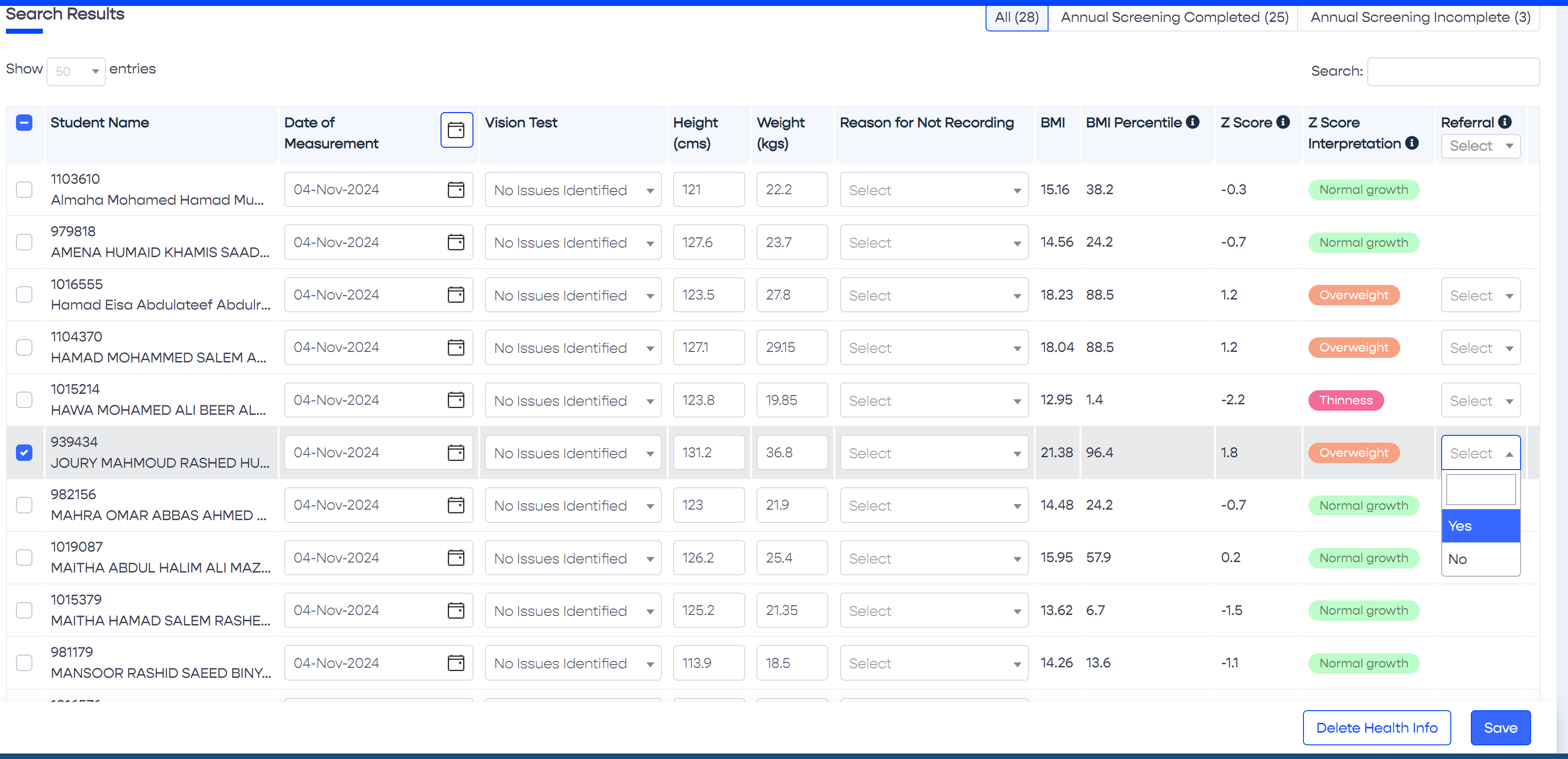
Above: Select a student using the checkbox on the left, and "Yes" from the dropdown list under the Referral column
Alert
Alert
Libraries
Ensure your page has the following code pasted near the bottom, before the closing 'body' tag.
Code
Copy this code and place it where you want the help icon to appear in your page.
Preview
Your help link will appear as the icon below. Click it to verify how the help content will look.
QR Code
Place a QR code on your product or machinery to let a user
easily retrieve the user guide documentation for it.